
Table of Contents
- A Structured Approach to Project Planning
- Build Detailed Work Breakdown Structures
- Resource Assignment and Cost Tracking
- Manage Dependencies with Built-In Validation
- Visualize Projects Through an Interactive Gantt Chart
- Designed for Different Project Roles
- A Foundation for Future Project Management
- Related Services and Industry Playbooks
- Que 1: Ready to Modernize Your Project Scheduling?
Managing complex projects often means juggling spreadsheets, task lists, resource assignments, dependencies, budgets, and deadlines across multiple tools. A Gantt chart can bring these elements together, but organizations using Microsoft Dynamics 365 and Power Platform may still need separate project scheduling solutions.
The Gantt Project Scheduler addresses this gap by bringing Gantt-based project scheduling directly into Microsoft Power Apps and Dataverse. The MVP is designed as a standalone scheduling module that can later become part of a broader Project Management solution.
A Structured Approach to Project Planning
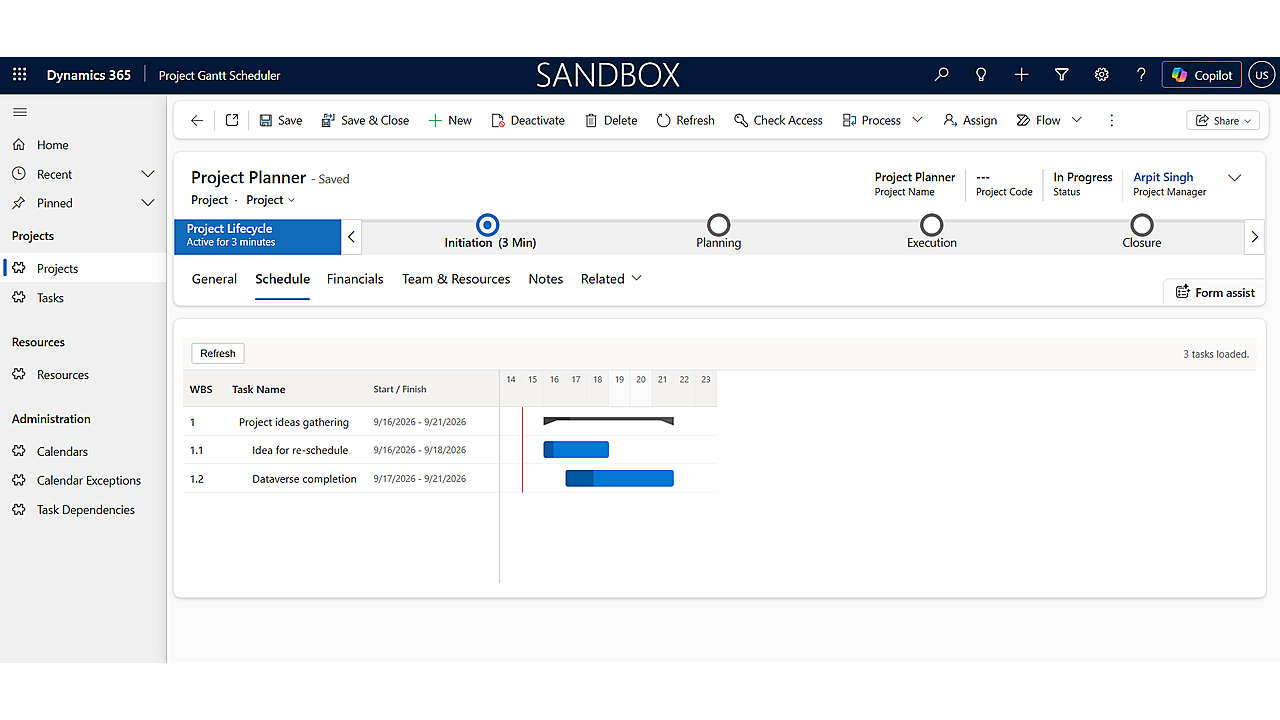
The scheduler provides a structured project lifecycle covering Initiation, Planning, Execution, and Closure. Project Managers can create projects with essential information such as Project Manager, Calendar, Currency, Start and Finish dates, and Description. A unique Project Code is generated automatically when the project is created.
This structure helps teams move beyond simple task lists and establish a consistent project management framework inside Dataverse.
Build Detailed Work Breakdown Structures
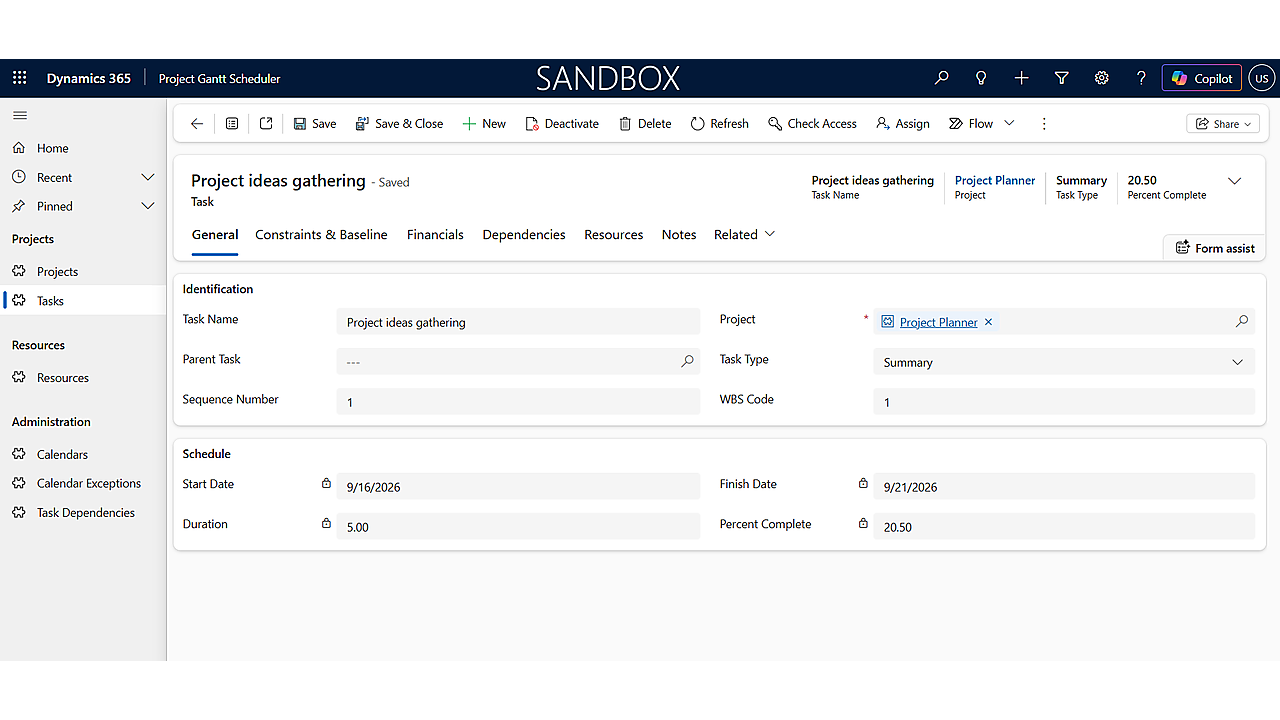
Projects can be broken down into multiple levels using a Work Breakdown Structure (WBS). Tasks can be organized under Summary Tasks, while individual work can be represented through standard Tasks and Milestones.
The system automatically generates WBS codes such as 1, 1.1, 1.2, and 1.2.3, reflecting each task’s position in the hierarchy. Summary Tasks automatically calculate their dates, duration, and progress based on their child tasks.
This gives Project Managers a clearer view of how individual activities contribute to larger project deliverables.
Resource Assignment and Cost Tracking
Project scheduling is closely connected to resource planning and project financials.
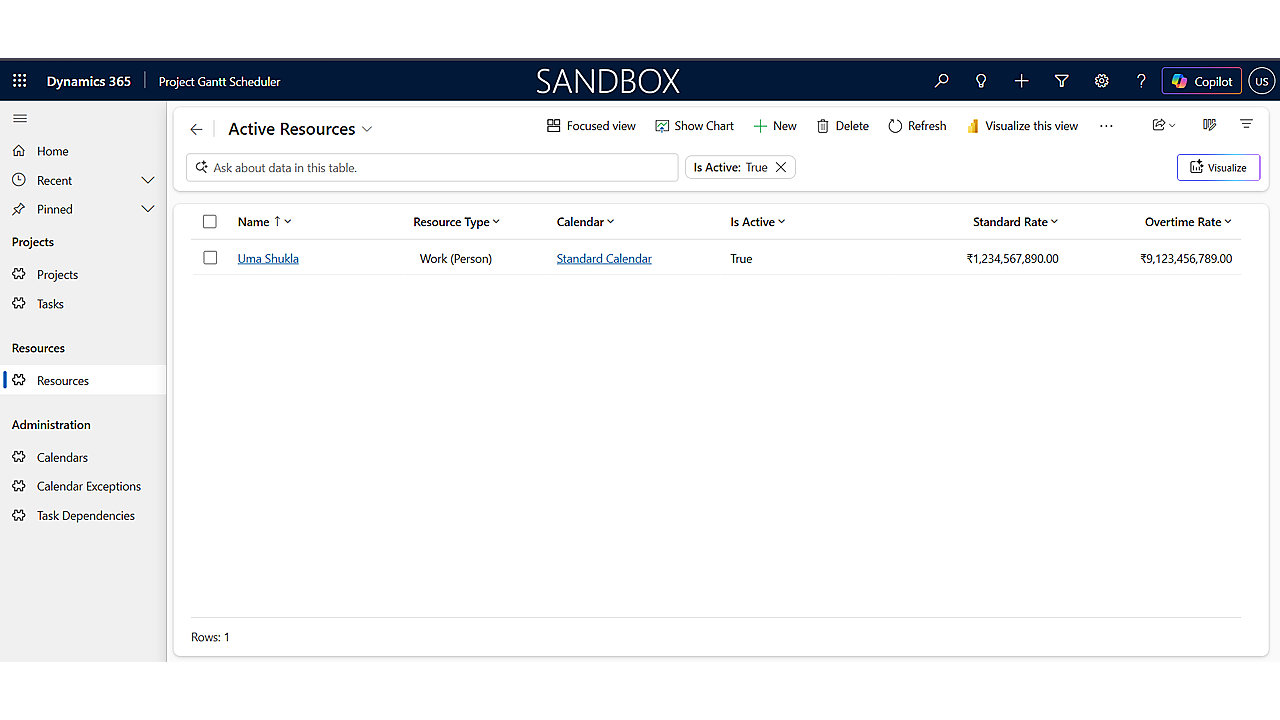
The solution supports three resource types:
- Work — People
- Material
- Cost
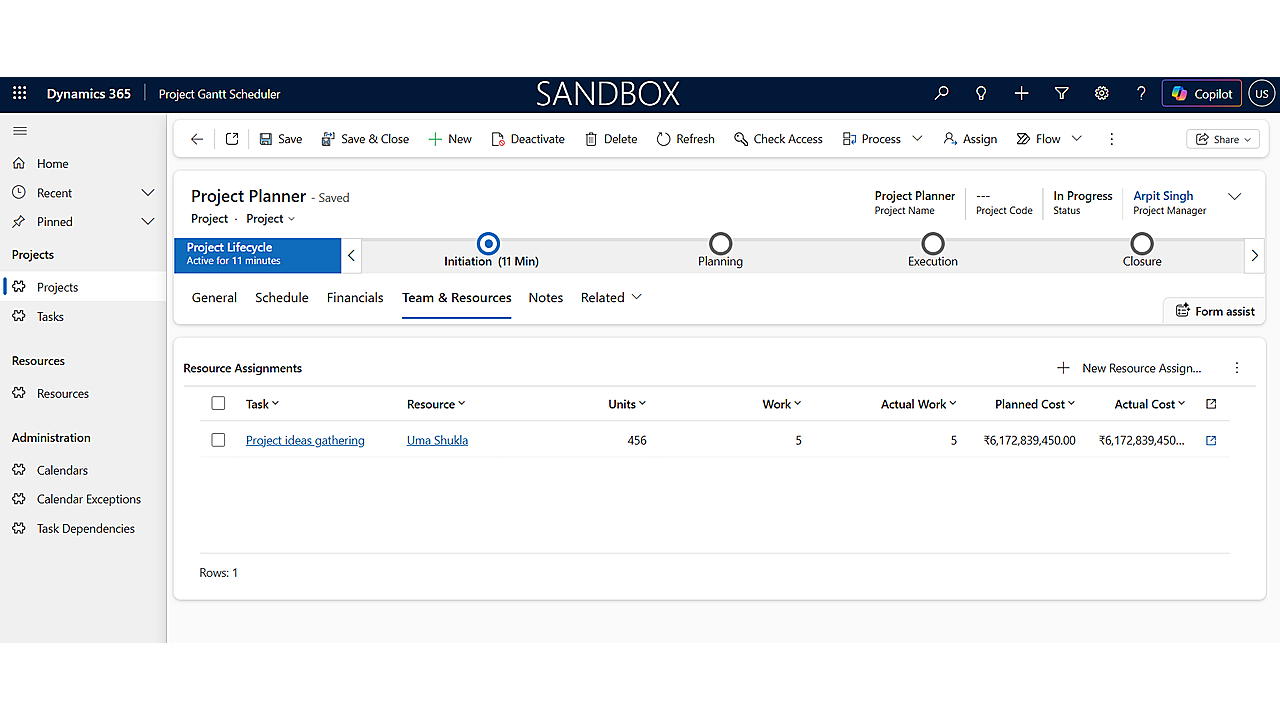
Resources can have Standard Rates, Overtime Rates, Cost Per Use, and maximum allocation capacity. Project Managers can then assign resources to individual tasks with planned and actual work hours.
Planned and Actual Costs are calculated automatically using the assigned resource’s rate. Costs are then rolled up from assignments to Tasks and ultimately to the Project, while Summary Tasks are excluded to prevent double-counting.
Manage Dependencies with Built-In Validation
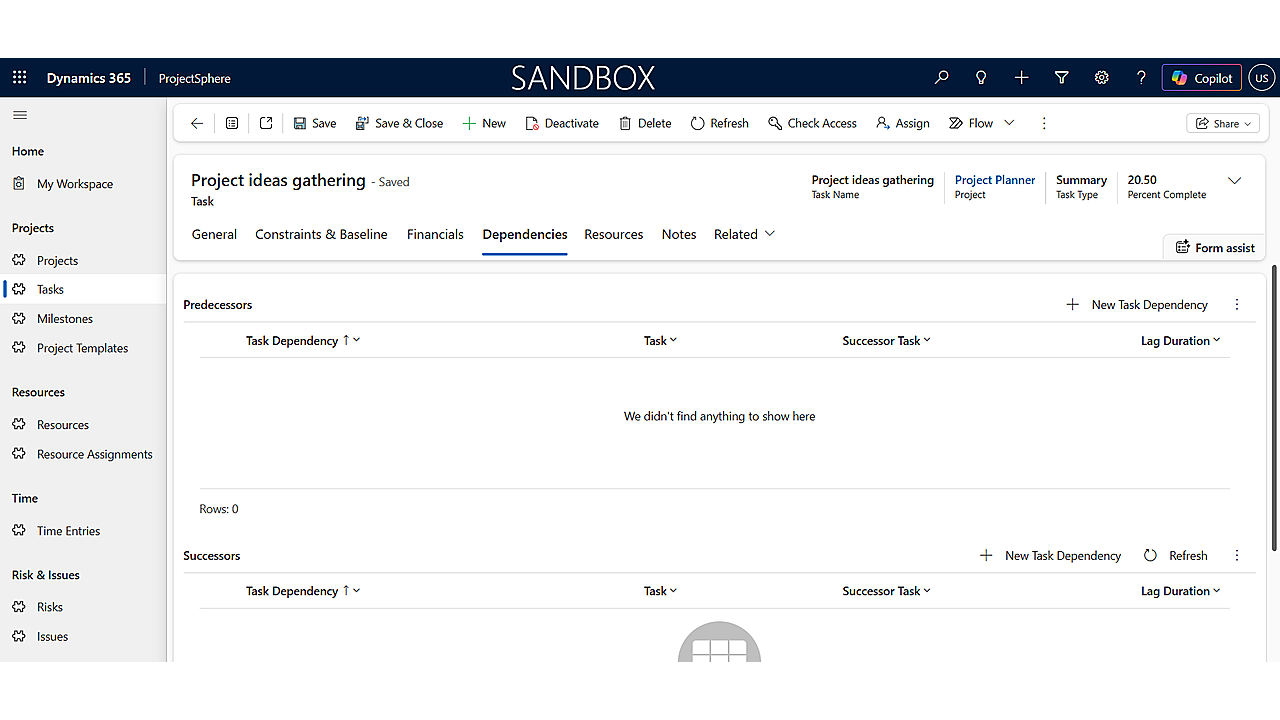
Dependencies are another important part of project scheduling. The scheduler supports four dependency types: Finish-to-Start, Start-to-Start, Finish-to-Finish, and Start-to-Finish, with optional lead or lag durations.
The system also validates dependencies at the server level. It prevents self-dependencies, duplicate relationships, and circular dependency chains such as A → B → C → A. This validation is designed to remain effective even when data is introduced through imports, integrations, or APIs.
Visualize Projects Through an Interactive Gantt Chart
The Gantt chart is embedded directly into the Project form. It displays task bars, Summary Tasks, Milestones, progress indicators, WBS hierarchy, and dependency connector lines.
Users can click a task directly from the chart to open its record, while the current date is also displayed for schedule awareness.
The workflow shows how a Project Manager opens the Project’s Schedule tab to see the complete project structure visually.
Designed for Different Project Roles
The solution includes three primary security roles: Project Administrator, Project Manager, and Project Team Member.
Administrators manage configuration and scheduling reference data, Project Managers manage projects and assignments, while Team Members focus on their assigned tasks and progress updates. Sensitive resource rate information can also be restricted through field-level security considerations.
A Foundation for Future Project Management
The Version 1 MVP intentionally focuses on core scheduling capabilities. Features such as drag-and-drop Gantt editing, automatic successor date recalculation, resource overallocation detection, multiple baselines, risk and issue tracking, and broader Project Management integration are planned for later phases.
By combining Dataverse, Power Apps, structured WBS management, resource costing, dependency validation, and embedded Gantt visualization, the Gantt Project Scheduler provides a foundation for bringing project scheduling closer to the Microsoft business application ecosystem.
The goal is simple: plan projects clearly, connect tasks and resources, track costs, visualize dependencies, and manage execution from one connected platform. 🚀
Related Services and Industry Playbooks
- Power Platform automation and analytics for model-driven apps, Dataverse, and custom scheduling solutions.
- Business Central implementation services for organizations connecting project financials to their broader ERP.
- Book a free consultation to scope a custom project scheduling solution for your team.
Que 1: Ready to Modernize Your Project Scheduling?
Gigatorb helps organizations bring Gantt-based project scheduling, resource costing, and dependency management into Power Apps and Dataverse.
- Email: info@gigatorb.com
- Phone: +91 98933 39105
- Website: www.gigatorb.com
- Book a consultation: gigatorb.com/consultation
Power Platform services · Business Central services · Contact Gigatorb
Tags: Power Platform · Dataverse · Model-Driven App · Gantt Chart · Project Scheduling · Work Breakdown Structure · Resource Management · Project Management
Ready to Transform Your ERP?
Connect with Gigatorb Software Pvt Ltd for a free consultation.
Book a Free Consultation