

Table of Contents
Sales and finance often operate with different priorities. Sales teams focus on leads, opportunities, customers, and closing deals, while finance and operations manage orders, inventory, invoicing, and fulfillment.
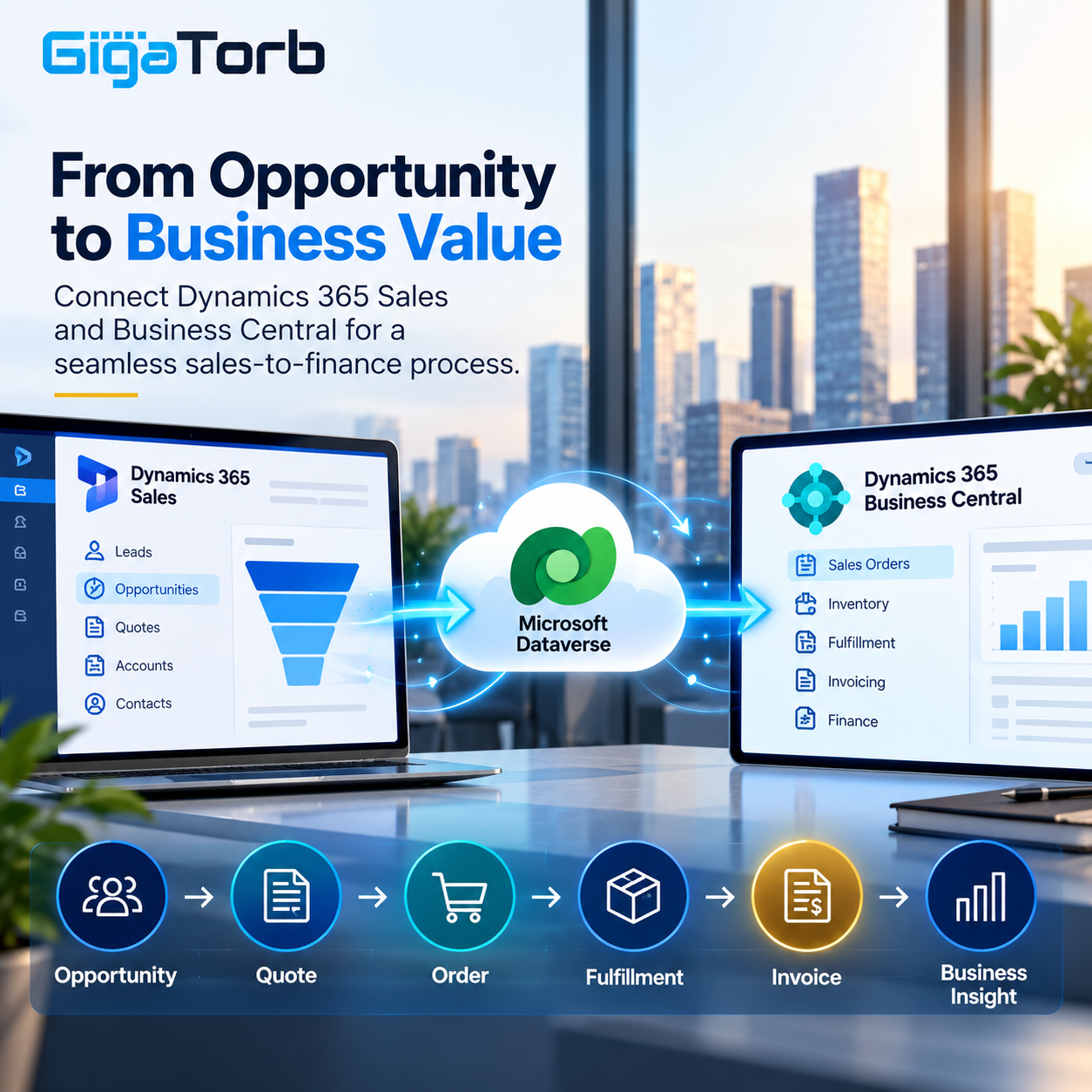
When these processes operate in separate systems, teams may spend time moving information manually between applications. Dynamics 365 Sales and Dynamics 365 Business Central can be connected through Microsoft Dataverse to create a more connected business process. Microsoft provides standard integration capabilities for synchronizing selected data between the two applications.
From Opportunity to Order
A typical sales journey can involve several stages: identifying an opportunity, preparing a quote, confirming customer requirements, creating an order, fulfilling it, and eventually generating an invoice.
Dynamics 365 Sales can manage the customer-facing sales process, while Business Central can handle the operational and financial side. Through the integration, information such as customers, products, opportunities, sales orders, and invoices can be synchronized according to configured mappings.
This creates a more connected flow between front-office and back-office teams.
For example, a salesperson preparing a quote may need to know whether the required product is available. With Business Central integrated into the sales environment, relevant Business Central information can be made available while the salesperson works in Dynamics 365 Sales.
Why Dataverse Matters
Dataverse plays an important role in this architecture.
Microsoft provides built-in integration between Business Central and Dataverse, supporting data synchronization and other integration approaches. Business Central can also connect with Dynamics 365 Sales through Dataverse.
Instead of building a completely separate integration layer for every Dynamics 365 application, organizations can use the Microsoft ecosystem’s existing integration capabilities as part of their architecture.
The integration can include standard table and field mappings, synchronization rules, and record coupling. For example, Business Central customers can be synchronized with Dataverse accounts, while products, sales orders, and other business information can have corresponding mappings depending on the configured scenario.
Synchronization Needs a Clear Strategy
Integration does not simply mean “connect everything.”
Organizations need to determine:
- Which system owns each type of data?
- Which tables need synchronization?
- Should synchronization be one-way or two-way?
- Which fields should be mapped?
- How should duplicate records be handled?
- How frequently should information be synchronized?
- Which users and roles can modify integrated records?
Business Central supports scheduled synchronization through job queues, while Microsoft also documents virtual tables and APIs for scenarios where organizations need access to Business Central data without simply replicating it.
This distinction is important because scheduled synchronization does not guarantee real-time consistency between the two services.
Bidirectional Sales Order Integration
One particularly useful scenario is sales-order synchronization.
Depending on configuration, organizations can synchronize sales orders between Dynamics 365 Sales and Business Central in both directions. Microsoft provides a specific Bidirectional Synch of Sales Orders option for this scenario.
Consider a simple example:
Salesperson → Dynamics 365 Sales → Sales Order → Business Central → Fulfillment & Finance
The sales team can work with the customer and sales process in Dynamics 365 Sales, while Business Central can support downstream operational processes.
This reduces the need for sales and finance teams to manually recreate the same information.
Extending the Standard Integration
Not every organization follows the same sales process.
A business might need additional approval steps, custom pricing rules, industry-specific fields, automated notifications, or integration with another application. This is where the broader Microsoft Power Platform becomes valuable.
Business Central integrates with Power Apps, Power Automate, Power BI, Power Pages, and Copilot Studio, allowing organizations to extend business processes beyond standard ERP and CRM functionality.
For example, Power Automate can be used to trigger downstream workflows when business events occur, while Power Apps can provide custom experiences around Dataverse data.
Security and Data Governance Still Matter
Integration should also be designed with security in mind.
Microsoft provides dedicated integration roles and configuration options for Business Central and Dynamics 365 Sales. Organizations should define appropriate permissions for integration users and business users rather than treating the connection as unrestricted access to both systems.
Good integration architecture therefore combines data ownership, synchronization rules, security, monitoring, and business-process design.
Building a Connected Microsoft Business Platform
Dynamics 365 Sales and Business Central serve different business functions, but they become more valuable when the processes between them are connected.
With Dataverse, synchronization, APIs, Power Platform, and standard Dynamics 365 integrations, organizations can connect sales activities with inventory, orders, fulfillment, and finance while maintaining clear responsibilities between systems.
The objective is not simply to connect two applications. It is to create a smoother business journey:
Customer → Opportunity → Quote → Order → Fulfillment → Invoice → Business Insight
That connected approach can help organizations reduce duplicate data entry, improve visibility across teams, and create a stronger foundation for automation and future digital transformation.
Ready to Transform Your ERP?
Connect with Gigatorb Software Pvt Ltd for a free consultation.
Book a Free Consultation