
Table of Contents
- Introduction: The Hidden Cost of Manual Finance Operations
- Why Finance Teams Struggle Without Workflow Automation
- How Power Automate Solves the Problem — Inside Business Central
- Key Automation Capabilities Finance Teams Use Today
- Real Business Example: A Mid-Size Distribution Company
- Implementation Roadmap: Getting Started Without Disruption
- Common Mistakes Finance Teams Make with Power Automate
- Business Benefits and ROI
- Frequently Asked Questions
- Conclusion: Finance Automation Is No Longer Optional
- Que 1: Ready to Automate Your Finance Workflows?
Ask any finance manager what their team spends most of its time on, and the answer is rarely something that directly creates business value. It is usually chasing approvals. Waiting on email replies. Re-entering data from one system into another. Reconciling reports that should have been generated automatically three days ago.
These are not small inefficiencies. They are structural problems that compound every month, every quarter, and every year-end close. In a business processing 500 purchase orders a month, a two-day manual approval cycle across each one adds up to thousands of hours of lost productivity annually — and that is before you account for errors, delayed payments, and the vendor relationships that quietly suffer.
The irony is that most of these businesses are already sitting on the tools required to fix this. If your organisation runs Microsoft Dynamics 365 Business Central, you already have access to Microsoft Power Automate — and the two work together natively. Yet the majority of mid-market businesses use only a fraction of what this combination can do.
This article is written for finance directors, operations managers, and IT leads who want to understand practically — not theoretically — how Power Automate works with Business Central to remove manual bottlenecks from accounts payable, purchase approvals, month-end reconciliation, and financial reporting workflows. For broader context on ERP-driven finance pain points, see our guide on real business problems solved by Business Central. If you are earlier in the buying journey, why growing businesses need an ERP like Business Central is a useful companion read.
Introduction: The Hidden Cost of Manual Finance Operations
Manual finance workflows are not a staffing problem alone — they are a systems problem. When approvals live in email, data is re-keyed at every handoff, and month-end tasks are tracked in spreadsheets, the finance function spends its capacity on administration instead of insight. That cost compounds with volume: more transactions mean more chasing, more reconciliation, and more compliance risk — without more strategic output.
Why Finance Teams Struggle Without Workflow Automation
Before we talk about the solution, it is worth being precise about the problem. Finance teams in growing businesses face a particular kind of operational drag. It is not one catastrophic failure — it is dozens of small friction points that, together, slow the entire organisation down.
The Approval Bottleneck
Every organisation has some version of this story. A purchase request is raised, emailed to a manager who is travelling, waits two days in an inbox, gets approved, then needs a second sign-off from finance, which is in a budget review meeting. By the time the PO is raised, the supplier has already been chased twice and the delivery timeline has slipped.
Manual approvals routed through email are the single biggest cause of purchase process delays in mid-market businesses. There is no visibility into where a request sits, no automatic escalation when someone does not respond, and no audit trail that compliance teams can rely on.
Month-End Close: Still Taking Too Long
A recent survey of finance professionals found that over 60 percent of businesses with manual or semi-automated ERP processes take more than seven working days to close their books at month-end. The reasons are predictable: journal entries made in the wrong period, accruals miscalculated, intercompany reconciliations done on spreadsheets, and reports pulled manually from three separate data sources.
Every day a close is delayed, management is making decisions on last month's numbers.
Data Re-Entry and the Error Multiplication Problem
When Business Central is not integrated with the surrounding workflow — email, approval tools, procurement platforms — data gets re-entered manually at handoff points. A vendor invoice received by email has to be keyed into the ERP. An approved expense claim has to be transferred into the accounts payable ledger. Each manual handoff is an opportunity for an error to enter the system. In a high-volume finance operation, errors do not stay isolated — they propagate into reports, reconciliations, and ultimately, the financial statements.
Compliance Gaps and Audit Trail Weakness
Manual processes rarely produce the structured documentation that auditors and regulators need. When a query arises about a vendor payment or an unusual journal entry, the finance team begins a treasure hunt through email threads, chat messages, and spreadsheets to reconstruct what happened and why. This is not just time-consuming — it creates real compliance exposure, particularly for businesses operating under GST, companies facing statutory audits, or organisations subject to internal control frameworks.
How Power Automate Solves the Problem — Inside Business Central
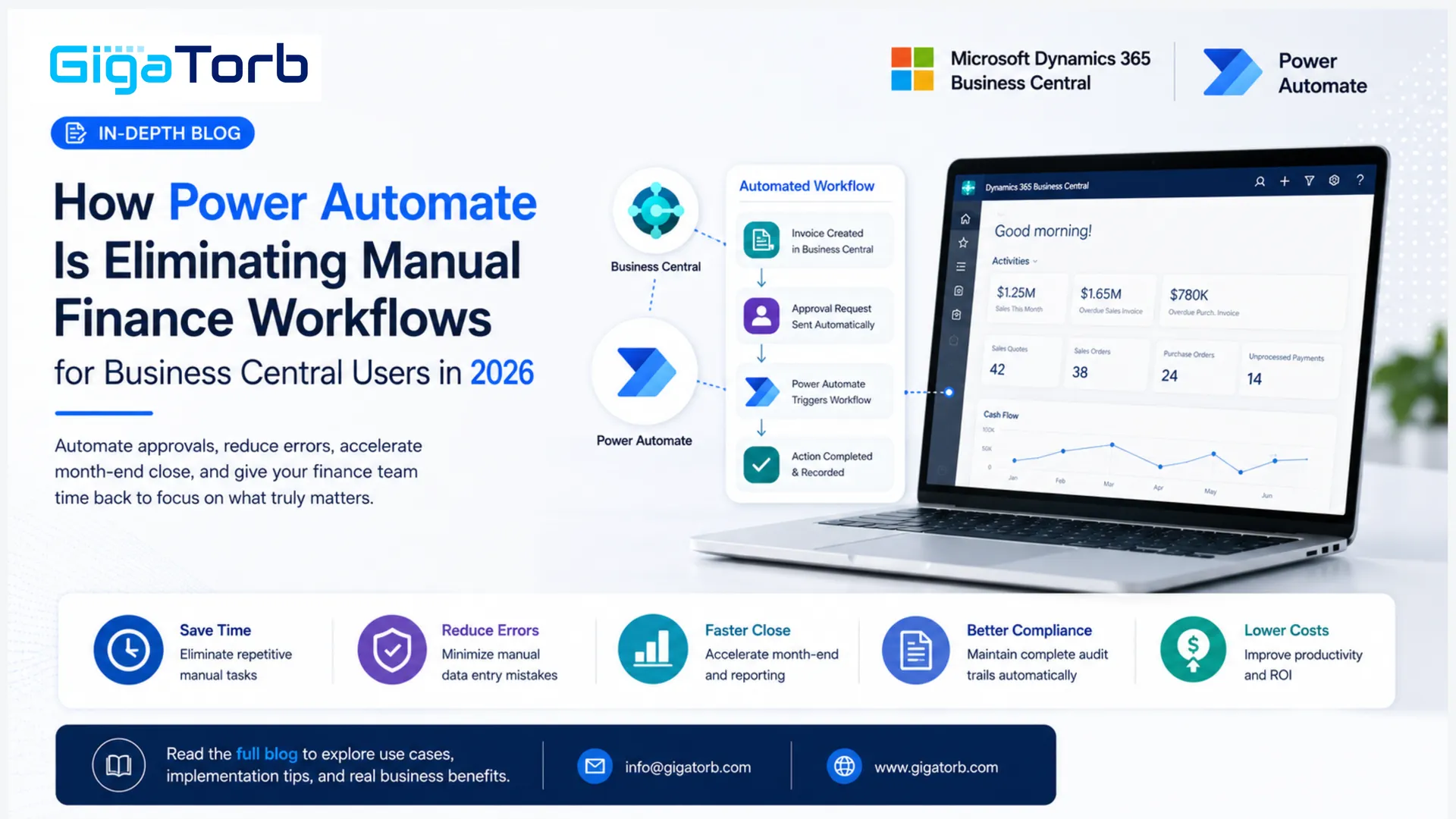
Microsoft Power Automate is a cloud-based workflow automation platform that connects applications, automates repetitive tasks, and orchestrates processes across the Microsoft ecosystem. It does not require coding skills to operate, and it integrates directly with Dynamics 365 Business Central through a certified connector maintained by Microsoft.
What this means in practice is that Business Central data — invoices, purchase orders, journal entries, vendor records, approvals — can trigger automated workflows, send notifications, update records, and escalate exceptions without any human intervention until a genuine decision is required.
The architecture is straightforward. Power Automate sits between Business Central and the rest of the Microsoft ecosystem — Microsoft Teams, Outlook, SharePoint, Power BI, and Azure. When something happens in Business Central (a new invoice is posted, a purchase order exceeds a threshold, a budget line is exhausted), Power Automate picks it up and does exactly what you have configured it to do.
For finance teams, this changes the operational equation completely. Instead of a process that relies on people remembering to do things, sending emails, and manually checking statuses, you have a system that runs automatically, escalates when needed, logs every action, and surfaces exceptions to the right person at the right time.
Critically, Power Automate does not replace judgment. A senior manager still approves high-value purchases. The finance director still reviews the month-end pack. What Power Automate eliminates is all the manual administration that surrounds those genuine decisions — the chasing, the data transfer, the status checking, the reminder emails.
Key Automation Capabilities Finance Teams Use Today
Here is how Power Automate is being deployed inside Business Central environments in 2026, with specific workflows that deliver measurable impact.
Multi-Level Purchase Approval Automation
Business Central's built-in approval functionality handles simple, single-level approvals. But most businesses need conditional, multi-level routing — different approvers based on amount, department, vendor category, or budget availability.
Power Automate enables you to build this logic without customising Business Central's core code. A purchase order raised in Business Central triggers a flow that checks the amount against a threshold table maintained in SharePoint, identifies the correct approver from an Active Directory group, sends an approval card directly in Microsoft Teams, and waits. If the approver does not respond within 24 hours, the flow automatically escalates to their manager and sends a reminder. Every action is logged with a timestamp and user ID — creating the complete audit trail that manual email approvals never produce.
For finance teams, this means approval SLAs become measurable and enforceable. For operations managers, it means purchase processes stop depending on whether a particular person remembered to check their email. Manufacturing and distribution companies often run the same AP and approval patterns — see our Business Central manufacturing implementation guide for related rollout context.
Automated Invoice Processing and Three-Way Matching
Accounts payable is one of the highest-volume, most repetitive areas of any finance operation. Processing a vendor invoice typically involves receiving the invoice, matching it to the purchase order, checking the goods receipt, identifying discrepancies, and either posting the payment or flagging for resolution.
When this is done manually, it takes between 15 and 45 minutes per invoice, depending on complexity and whether exceptions arise. With Power Automate connected to Business Central, the process changes dramatically. Vendor invoices received via a dedicated email address trigger a flow that uses AI Builder — Microsoft's built-in document intelligence tool — to extract invoice data, match it against the corresponding purchase order and goods receipt record in Business Central, and automatically post matched invoices. Only mismatched or exception invoices reach a human for review.
For a business processing 300 invoices per month, this kind of automation routinely reduces AP processing time by 60 to 70 percent while improving matching accuracy and eliminating duplicate payments.
Budget Threshold Alerts and Overspend Prevention
One of the most common complaints from CFOs is discovering a budget overspend weeks after it happened. Business Central tracks budget actuals in real time, but without automation, that data sits passively in the system until someone runs a report.
Power Automate changes this from a reactive to a proactive posture. You configure a scheduled flow to run daily — or trigger in real time when a transaction posts — and compare actuals against budget by department, cost centre, or project code. When a line reaches 80 percent utilisation, the budget owner automatically receives a Teams message or email with the current position and a link to the Business Central report. When it reaches 100 percent, an approval gate activates on any further spend against that code.
Finance leaders who implement this consistently report that month-end budget variance conversations become shorter and less heated — because the information was surfaced in time to act, not after the period closed.
Month-End Checklist Automation and Status Tracking
Month-end close involves dozens of tasks distributed across multiple team members — bank reconciliations, accruals journals, prepayment calculations, intercompany eliminations, management account preparation. Coordinating these manually via a shared spreadsheet or email thread is error-prone and provides no real-time visibility into completion status.
Power Automate, connected to a Microsoft Planner or SharePoint task list, automates the assignment and sequencing of month-end tasks. When Business Central's accounting period closes, tasks are automatically created, assigned to the appropriate team members, and tracked. Dependencies are enforced — the intercompany reconciliation task cannot be marked complete until both the receiving and sending entity have posted their journals. A Power BI dashboard fed by the task list gives the finance director a live close status board without having to ask anyone for an update.
Vendor Payment Run Notifications and Approval
Outgoing payment runs in Business Central represent significant financial exposure. Yet in many businesses, the final payment file is reviewed by one person with limited context and no automated validation.
Power Automate adds an approval layer that runs before the payment batch is submitted. The flow extracts a payment summary from Business Central — total amount, vendor count, largest individual payment, any new vendor added in the last 30 days — and sends it to the approving signatories via Teams with a structured approval card. Only when all required approvers have confirmed does the flow proceed to mark the payment batch ready for bank upload. If any new vendor on the list was added within the last 30 days, the flow flags this explicitly, prompting additional scrutiny for fraud prevention.
Real Business Example: A Mid-Size Distribution Company
To make this concrete, here is a scenario based on a composite of real implementation outcomes.
The business is a mid-size consumer goods distribution company with 180 employees, operating across three warehouses and processing approximately 400 purchase orders and 600 vendor invoices per month. They had been running Dynamics 365 Business Central for two years and were satisfied with the ERP itself — but their finance team of six people was overwhelmed. Month-end close was taking nine working days. The AP team spent roughly 60 percent of their time on manual invoice processing and chasing approvals. Budget variances were discovered at month-end, not during the month.
| Process | Before Power Automate | After Power Automate |
|---|---|---|
| Purchase approval cycle | Average 3.2 days per PO | Average 6 hours per PO |
| Invoice processing time | 28 minutes per invoice | 8 minutes per invoice (exceptions only) |
| Month-end close duration | 9 working days | 5 working days |
| Budget overspend incidents | 4–5 per quarter, found at period-end | 0–1 per quarter, flagged in-period |
| Payment run approval time | 2 days via email | 4 hours via Teams |
| AP team capacity freed | — | ~2 FTE equivalent redirected to analysis |
The implementation was completed in twelve weeks. The first six weeks were spent on the purchase approval and invoice matching flows — the highest-pain, highest-volume areas. The second phase introduced budget monitoring and month-end automation. The finance director described the change not as the team working harder, but as the team being freed to do the work they were actually hired to do — analysis, forecasting, and business partnering — rather than chasing approvals and re-entering data.
Implementation Roadmap: Getting Started Without Disruption
Finance automation with Power Automate and Business Central does not have to be a large, risky programme. The most successful implementations we have seen follow a phased approach that delivers value quickly and builds team confidence before tackling the more complex workflows.
Phase 1 — Foundation and Quick Wins (Weeks 1–4)
Start with the process that causes the most daily frustration — typically purchase approvals or invoice receipt. Map the current process precisely, including all the exceptions and edge cases that make it complicated. Configure the Business Central connector in Power Automate, build the first approval flow, and test it thoroughly with a small pilot group before rolling out to the full team. During this phase, Microsoft Copilot Studio can assist in generating initial flow templates from natural language descriptions of the process.
Phase 2 — AP Automation and Document Intelligence (Weeks 5–8)
Introduce AI Builder for invoice extraction if invoice volume justifies it (typically above 150 invoices per month). Set up the dedicated invoice intake mailbox, configure extraction models, build the three-way matching logic against Business Central records, and establish the exception handling process. This phase requires close collaboration between the AP team and the IT lead to ensure edge cases are handled correctly.
Phase 3 — Budget Monitoring and Reporting Flows (Weeks 9–12)
Build the budget threshold alert flows, configure Power BI to surface close status and finance KPIs, and automate the payment approval process. This phase also typically includes integrating Microsoft Teams more deeply — bringing approval notifications and financial alerts directly into the channels where management already operates, rather than requiring people to log into additional systems.
Phase 4 — Month-End Automation and Optimisation (Weeks 13–16)
Build the month-end task automation in Planner, connect it to the Power BI close dashboard, and run the first fully automated close cycle alongside the existing manual process to validate results. After sign-off, decommission the manual spreadsheet-based close tracker.
Throughout all phases, ensure that every automation is documented — what it does, what triggers it, what it does with exceptions, and who the process owner is. Power Automate flows that are undocumented become black boxes as team members change, and that creates operational risk of a different kind.
Common Mistakes Finance Teams Make with Power Automate
Automating a Broken Process
This is the most common mistake, and it is subtle. When teams rush to automate, they sometimes automate a process that has fundamental design flaws. If your approval hierarchy is poorly defined, automating it just means the wrong decisions get made faster. Before building any flow, ask whether the underlying process is correct. If the answer is no, fix the process design first, then automate it.
Building Flows Without Exception Handling
Every financial process has exceptions. Invoices that do not match. Approvers who are on leave. Payments that fail bank validation. A Power Automate flow that handles only the happy path will break — often at the worst possible time — when an exception occurs and there is no defined route through the flow. Always design exception paths explicitly, with appropriate fallback actions, notifications, and escalation routes before going live.
Ignoring Governance and Ownership
Power Automate makes it easy for anyone with a Microsoft 365 licence to create flows. In a finance context, that freedom can create risk. Flows built by individual team members without IT review may process financial data insecurely, create audit gaps, or duplicate logic that exists elsewhere. Establish a clear governance model — who can build flows, what review is required before production deployment, and who owns the ongoing maintenance of each flow. This does not need to be bureaucratic, but it needs to exist.
Underestimating the Change Management Requirement
Technology is the easy part. Getting a team of finance professionals who have been doing things the same way for years to trust an automated approval system takes deliberate change management. Involve users early in the design process. Show them how the flows work. Make the logic transparent. Celebrate the early wins visibly. A finance team that does not trust the automation will build manual workarounds alongside it — and you will end up with both the old process and the new system running in parallel, which defeats the purpose entirely.
Business Benefits and ROI
When Power Automate is implemented thoughtfully in a Business Central finance environment, the returns are tangible and fast. Most implementations achieve payback within six to nine months.
The direct, measurable benefits are well-established across mid-market deployments. Finance teams consistently report a reduction in manual process time of between 40 and 65 percent, depending on the volume and complexity of the workflows automated. Month-end close cycles typically shorten by two to four days. Invoice processing costs drop significantly — industry benchmarks put manual invoice processing cost at between £8 and £15 per invoice; automation brings this below £2 for matched invoices.
Beyond efficiency, there are benefits that are harder to measure but equally significant. Compliance posture improves because every automated workflow produces a structured, searchable audit trail. Vendor relationships improve because invoices are paid on time and queries are resolved faster. Finance leaders gain time to work on analysis, forecasting, and strategic decisions rather than operational administration. And the finance team — often the last department to benefit from digital transformation — begins to operate at the pace the rest of the business expects.
There is also a scalability argument. A finance team of six that is currently at capacity can handle significantly higher transaction volumes after automation without adding headcount. In a growing business, this is not a marginal benefit — it is the difference between finance being a bottleneck to growth and finance being a platform for it.
In 2026, with Microsoft Copilot now embedded across Power Automate, Teams, and Business Central, the intelligence layer on top of these workflows is advancing quickly. Copilot can now suggest flow improvements, identify anomalies in financial transactions, and generate plain-language summaries of automated process activity for management reporting. For a deeper look at Copilot inside the ERP, read Copilot inside Business Central: how AI is transforming ERP in 2026. For platform-wide release context, see Dynamics 365 2026 Release Wave 1: AI, Copilot, and the future of ERP automation. These capabilities are available today on standard licences and will only deepen through the 2026 Release Wave cycles.
Frequently Asked Questions
- Does Power Automate come included with our Business Central licence, or is it a separate purchase? Power Automate is included as part of most Microsoft 365 and Dynamics 365 licence bundles at a base level. The standard connector to Business Central is available in most licence tiers. For higher-volume flows, premium connectors, or AI Builder capabilities (used for invoice extraction), a Power Automate Premium licence is required. The additional cost is typically modest relative to the productivity gains — and in many cases, it is already included in your existing Microsoft enterprise agreement. Your Microsoft partner can run a licence review to confirm what you currently have access to.
- How long does it typically take to implement purchase approval automation in Business Central? For a straightforward multi-level purchase approval flow — one that handles standard and exception routing, sends approvals via Teams, escalates on non-response, and posts back to Business Central — implementation typically takes two to four weeks. This includes requirements mapping, flow configuration, testing, user acceptance, and deployment. More complex scenarios with multiple approval tiers, budget integration, and cross-department routing may take six to eight weeks to configure and validate properly.
- Is our financial data secure when it passes through Power Automate? Yes. Power Automate is part of the Microsoft Power Platform and runs on Azure infrastructure. Data processed through Power Automate flows is subject to the same security controls and compliance certifications as the rest of the Microsoft ecosystem — including ISO 27001, SOC 2, and GDPR compliance. Data does not leave your Microsoft tenant unless you explicitly configure a connector that routes it outside. For business-critical financial workflows, it is good practice to ensure flows run under a dedicated service account rather than an individual user's identity, and to enable Data Loss Prevention policies at the tenant level.
- Can Power Automate connect Business Central to our bank for payment file automation? Power Automate can automate the payment approval, validation, and file generation steps within Business Central. The direct connection to a bank's API depends on whether your bank has a Power Automate connector available in Microsoft AppSource, or whether an SFTP or secure file transfer integration is feasible. Many banks now offer API connectivity, and several major Indian and global banks have connector support. For banks without a direct connector, the typical approach is to automate payment file generation in Business Central and upload via a secure automated SFTP transfer — which Power Automate can orchestrate. We recommend discussing your specific bank's technical capabilities during the requirements phase.
- We already have some manual flows built by our team members. Should we rebuild them professionally? It depends on what those flows do and whether they have been tested robustly. Flows built informally by team members often work for the happy path but lack proper exception handling, error logging, governance documentation, and security configuration. For flows touching financial data — approvals, payments, journal postings — we would strongly recommend a professional review and, in most cases, a rebuild to proper production standards. The cost of rebuilding is far lower than the cost of a flow failure during a payment run or an audit gap discovered during a statutory review.
Conclusion: Finance Automation Is No Longer Optional
Manual finance workflows are not just inefficient — they are a structural handicap for any business trying to scale. Every day spent chasing approvals, re-entering data, and waiting on email replies is a day the finance function is not doing what it exists to do: provide accurate, timely information that drives better business decisions.
Microsoft Power Automate, working in conjunction with Dynamics 365 Business Central, gives mid-market businesses the ability to eliminate these bottlenecks without a large IT project, custom development, or the replacement of existing systems. The tools are already in the Microsoft environment most businesses are running. What is required is the knowledge of how to use them well and a structured approach to implementation.
Done correctly, finance automation with Power Automate transforms how the finance team operates — reducing close cycles, accelerating approvals, preventing budget overruns before they happen, and creating the audit trail that compliance demands. The teams that implement this well gain a genuine operational advantage that compounds over time.
If your finance team is spending more than 30 percent of its time on manual administration, the investment case for automation is almost certainly already there. The question is not whether to automate — it is which process to start with and how to do it in a way that sticks.
Que 1: Ready to Automate Your Finance Workflows?
Gigatorb specialises in Power Automate implementations for Microsoft Dynamics 365 Business Central customers. We have helped mid-market businesses across manufacturing, distribution, and services reduce manual finance effort, accelerate month-end close, and build the audit-ready process infrastructure that growing businesses need.
Talk to our team for a free workflow assessment:
- Email: info@gigatorb.com
- Phone: +91 98933 39105
- Website: www.gigatorb.com
- Book a consultation: gigatorb.com/consultation
Business Central services · Power Platform services · Contact Gigatorb
Tags: Power Automate · Business Central · Finance automation · Power Platform · Month-end close · Accounts payable · Microsoft Copilot · ERP workflows
Ready to Transform Your ERP?
Connect with Gigatorb Software Pvt Ltd for a free consultation.
Book a Free Consultation