
Table of Contents
- Introduction
- Key Takeaways at a Glance
- The Core Difference: ERP vs App Suite
- Feature-by-Feature Comparison
- Where Business Central Clearly Wins
- When Zoho Still Makes Sense
- Signs Your Business Has Outgrown Zoho
- What a Zoho to Business Central Migration Looks Like
- How Gigatorb Helps You Move with Confidence
- Related Services and Industry Playbooks
- Conclusion
- Ready to Move to Business Central
Introduction
Every growing business reaches a point where current software starts to hold operations back instead of moving them forward. For many organizations, that inflection point appears while they are still using Zoho: a capable platform for startups and small teams, but one that reveals limits as process complexity increases.
Microsoft Dynamics 365 Business Central is a purpose-built ERP that consolidates finance, operations, inventory, sales, manufacturing, and project management into a single connected platform. It is a strong fit for businesses that have outgrown fragmented tools and need a scalable, future-ready foundation.
This comparison is written for business leaders, finance teams, and IT decision-makers who want an objective view of Zoho vs Business Central.
Key Takeaways at a Glance
- Zoho is a strong starter platform; Business Central is a long-term growth engine.
- Business Central unifies business functions in one system, reducing data silos.
- Microsoft Copilot, Power BI, and Teams integration are native in Business Central.
- Gigatorb provides end-to-end services: implementation, migration, customization, integration, training, and support.
The Core Difference: ERP vs App Suite
The most important distinction is architecture.
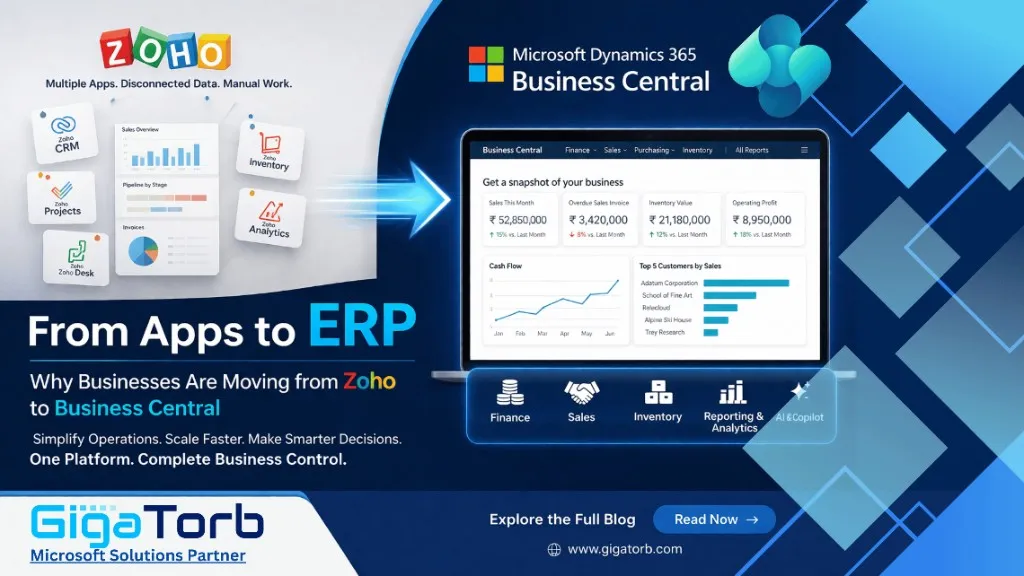
- Zoho is an app suite: Zoho Books, Zoho CRM, Zoho Inventory, and Zoho Analytics are separate applications that must be connected.
- Business Central is a unified ERP: Finance, sales, purchasing, inventory, warehousing, manufacturing, projects, and service share one data model.
When a sales order is created in Business Central, inventory availability and financial projections update immediately without separate sync processes. This reduces integration overhead and improves real-time decision accuracy.
 1.webp)
Feature-by-Feature Comparison
The comparison below focuses on the capabilities that matter most for growing organizations.
| Feature / Capability | Microsoft Dynamics 365 Business Central | Zoho (Books / One) |
|---|---|---|
| Platform type | Fully unified ERP (single database) | Suite of separate modular apps |
| Financial management | Enterprise-grade GL, dimensions, budgeting, consolidation | Basic to mid-level accounting |
| Inventory and warehouse | Full WMS, bin management, multi-location | Basic inventory tracking |
| Manufacturing | Built-in production orders, BOM, capacity planning | Limited or third-party |
| Multi-company support | Native multi-entity, intercompany transactions | Restricted, add-on required |
| Reporting and analytics | Power BI + advanced dimensions reporting | Standard dashboards, Zoho Analytics |
| Microsoft 365 integration | Native: Teams, Outlook, Excel, SharePoint, Azure | Connector-based integrations |
| AI capabilities | Microsoft Copilot embedded across modules | Zia AI with limited scope |
| Compliance and audit | Global compliance, strong audit controls, broad localizations | Regional coverage, lighter localization depth |
| Scalability | SMB to large enterprise | Startup to growing SMB |
Where Business Central Clearly Wins
- Enterprise financial management: Dimensions, consolidation, intercompany flows, and advanced controls support complex finance operations.
- Inventory, warehouse, and supply chain: Bin-level tracking, directed put-away and pick, serial and lot tracing, and multi-location planning.
- Manufacturing: Native BOM, production orders, routing, and capacity planning with no workaround-heavy dependency.
- Microsoft ecosystem depth: Native Teams, Outlook, Excel, SharePoint, Azure, Power BI, and Copilot integration.
- Compliance and global readiness: Strong audit trails, approvals, controls, and broad localization support.
 1.webp)
When Zoho Still Makes Sense
Zoho can still be a practical choice in specific scenarios:
- Early-stage startups with simple accounting and CRM needs
- Single-market operations without multi-entity complexity
- Immediate budget constraints and minimal process depth
- Teams heavily aligned to non-Microsoft stacks
For many growing businesses, these benefits are strongest in the early phase. Complexity often introduces limits within three to five years.
Signs Your Business Has Outgrown Zoho
- Finance teams spend too much time reconciling data across tools.
- Inventory accuracy drops due to delayed or inconsistent sync.
- Month-end close slows because data consolidation is manual.
- Multi-company or multi-location reporting is hard to scale.
- Manufacturing processes require external workarounds.
- Leadership lacks reliable, real-time cross-functional dashboards.
- IT time is consumed by integration maintenance over innovation.
- Audit and compliance reviews reveal control and traceability gaps.
What a Zoho to Business Central Migration Looks Like
- Discovery and scoping: Map current Zoho apps, data flows, reporting needs, and integrations.
- Data migration planning: Define migration of masters, open transactions, inventory, and historical data strategy.
- Business Central configuration: Set up entities, dimensions, posting groups, approvals, tax, and modules.
- Testing and validation: Run parallel validation for finance, inventory, and workflows with business users.
- Go-live and hypercare: Execute controlled cutover and provide high-touch post-go-live support.
How Gigatorb Helps You Move with Confidence
Gigatorb Software Pvt Ltd is a specialized Dynamics 365 Business Central partner focused on low-disruption, outcome-oriented delivery.
- Implementation: Full BC setup from chart of accounts to modules and role-based processes
- Migration: Clean migration from Zoho Books, Zoho One, or legacy ERP
- Customization: AL extensions, custom reports, and workflow automation
- Integration: Power BI, Microsoft 365, Azure, and third-party APIs
- Training: Practical role-based training for users and administrators
- Support: Post-go-live optimization, upgrades, and managed support
Related Services and Industry Playbooks
- Business Central implementation services for a structured ERP rollout.
- Business Central for Retail for omnichannel inventory and margin visibility.
- Business Central for Nonprofit organizations for fund accounting and grants.
Conclusion
Zoho is capable at the right stage. But when growth demands stronger controls, deeper integration, and higher scalability, Business Central provides a fundamentally different class of system: a unified ERP built for operational complexity.
Businesses that move to Business Central with a structured plan and the right partner usually gain compounding advantages in decision speed, control, and execution quality.
Ready to Move to Business Central
Gigatorb provides end-to-end Dynamics 365 Business Central services from scoping and migration to full implementation and long-term support.
- Email: info@gigatorb.com
- Phone: +91 98933 39105
- Website: www.gigatorb.com
© 2026 Gigatorb Software Pvt Ltd | Microsoft Dynamics 365 Business Central Partner | Indore, India
Ready to Transform Your ERP?
Connect with Gigatorb Software Pvt Ltd for a free consultation.
Book a Free Consultation